Two CSV exports
Match record IDs across reordered files and separate changes from added or removed rows.
When fresh exports arrive, you should be reviewing exceptions rather than rebuilding lookups and filters. MatchDock compares XLSX or CSV files by business key, explains the differences, and creates an Excel result you can keep for review.
File contents are processed locally. Pro workflows store configuration, not files.
Choose Source A and Source B from the current period. Confirm sheets, headers, and previews.
Map equivalent fields, select a single or composite key, and configure any normalization or tolerance.
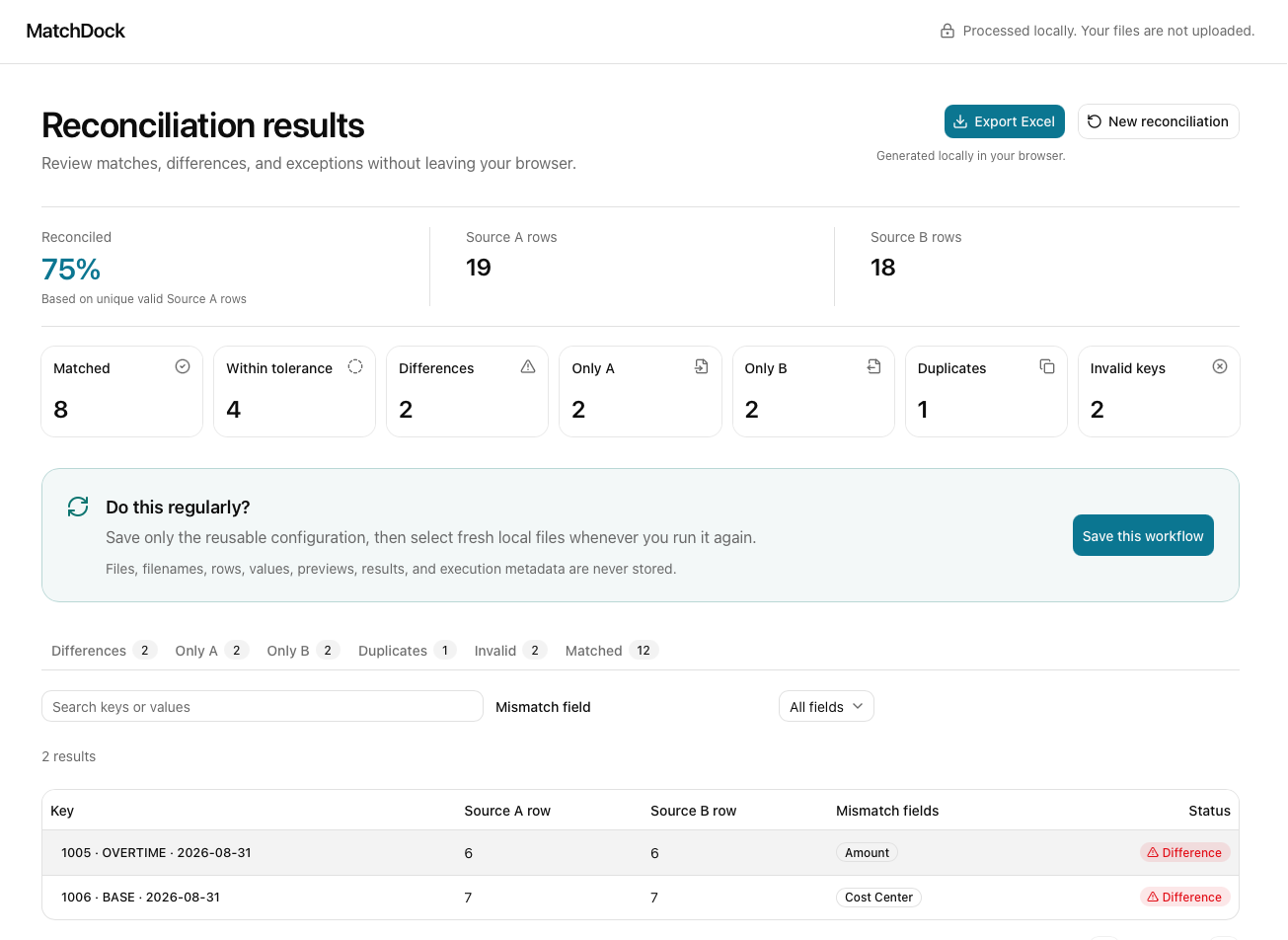
Inspect matched, changed, missing, duplicate, and invalid records with explanations. Export an XLSX workbook locally.
With Pro, save the configuration as a workflow and use Run Again with new local files. Each run still needs your review.
The same key-based engine supports different file-based checks. Each guide below shows its own source fields, useful outcomes, and limits. Pick the case closest to your exports.
Match record IDs across reordered files and separate changes from added or removed rows.
See both Only A and Only B in a single comparison, including duplicate-key exceptions.
Check source and target extracts for missing IDs, changed values, and duplicates.
Review structured exports with explicit date tolerance and unmatched transactions.
Use a composite employee, wage type, and date key to review payroll differences.
Compare exported CSV/XLSX reports without a direct system integration.
A workbook of lookups can be useful once. Across periods, you also need to remember which key, column mapping, normalization, and tolerance produced the answer. A saved Pro workflow preserves those choices and asks you to select fresh files for the next run.
MatchDock parses and reconciles your files locally. Spreadsheet contents are not uploaded to MatchDock servers, and Excel exports are generated in your browser.
Start with two Excel or CSV exports. Choose the records that should match, apply explicit rules, and keep uncertain outcomes visible.